
Passkeys: The Beginning of the End for Passwords
Let's be honest… passwords are a pain.
We forget them, reuse them, write them down, and occasionally end up locked out of our own accounts. Worse still, passwords remain one of the biggest targets for cybercriminals.
That's why the tech giants like Microsoft, Google, Apple, and many others, are pushing a new way to sign in: passkeys.
Passkeys are designed to replace passwords with something that's both more secure and easier to use.
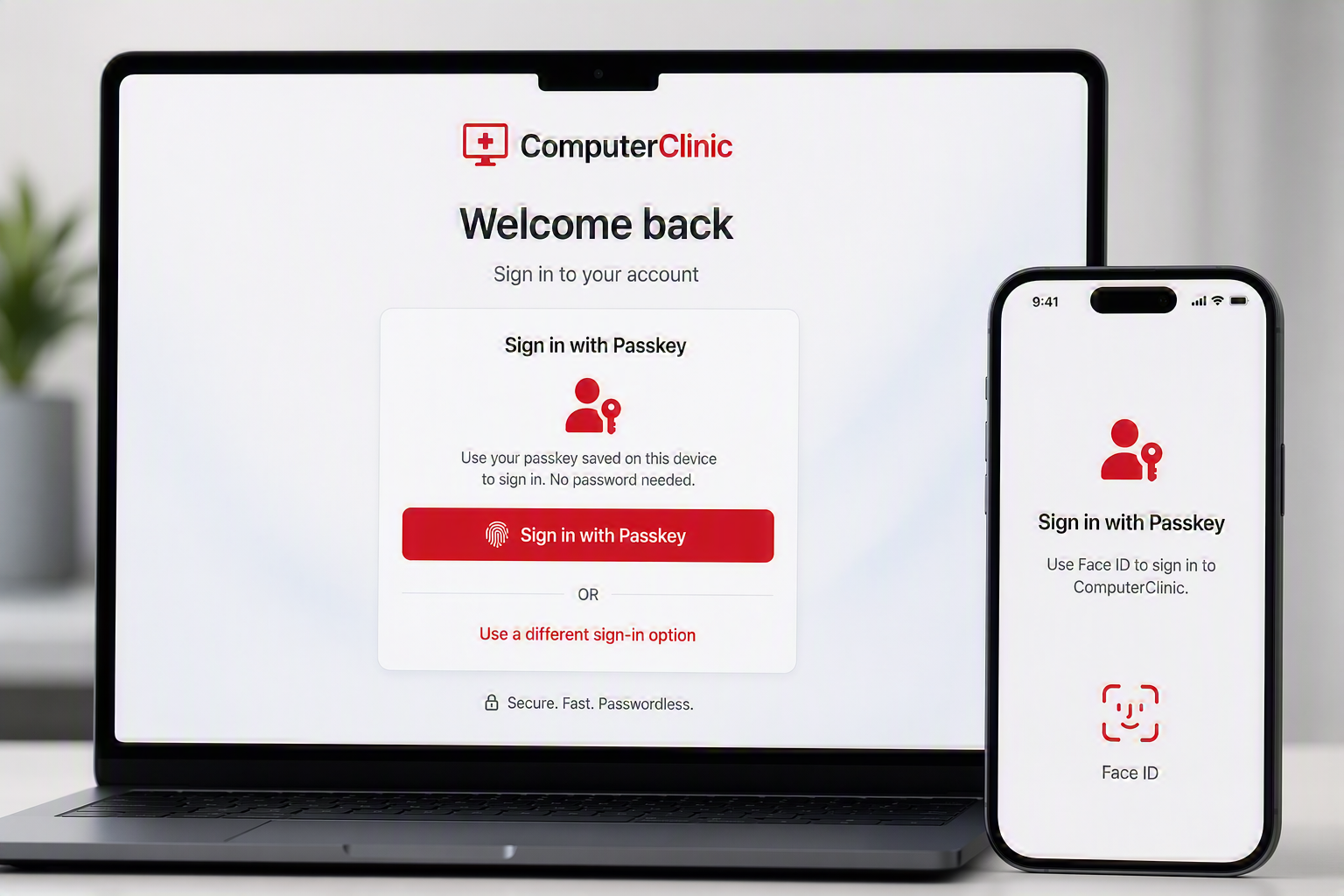
What Is a Passkey?
A passkey is a modern, secure way to sign in to websites and apps without needing a traditional password. Instead of remembering and typing a long string of characters, you use a method that's already built into your device, such as:
Your fingerprint
Face ID
Windows Hello
A device PIN
Behind the scenes, your device creates a unique pair of cryptographic keys. One key remains securely stored on your device and never leaves it, while the matching public key is stored by the website or service you're signing in to.
When you log in, the website sends a challenge to your device. Your device uses the private key to verify your identity and responds securely without ever transmitting a password across the internet.
Because there is no password to steal, reuse, or guess, passkeys provide stronger protection against phishing attacks, credential theft, and many other common online security threats. They are also faster and more convenient, making sign-ins both safer and easier.
Why Are Passkeys More Secure?
Traditional passwords have several weaknesses:
They can be guessed.
They can be stolen in data breaches.
They can be reused across multiple accounts.
They can be captured by phishing websites.
Passkeys remove these risks because there is no password to steal or enter.
One of the biggest advantages is protection against phishing attacks. A passkey is linked to the specific website it was created for. Even if a fake website looks identical to the real one, your passkey won't work there.
Think of it like a house key. Your front door key doesn't work on your neighbour's house, no matter how similar the houses look.
Using a Passkey
The experience is surprisingly simple.
When signing into a service that supports passkeys:
Enter your email address.
Select "Sign in with a passkey".
Approve the sign-in using your fingerprint, face scan, or device PIN.
That's it.
For most users, it's actually faster than entering a password and then completing multi-factor authentication.
What Happens If I'm Using Another Computer?
This is where passkeys get really clever.
If you're signing in on a different computer, you'll often see an option to use a passkey from another device. The website displays a QR code which you scan using your phone. After approving the request with your fingerprint or face scan, you're signed in.
Your passkey never leaves your phone, making the process both secure and convenient.
A Few Things to Watch Out For
Passkeys are fantastic, but there are a few things worth knowing.
Always have a backup - Don't rely on a single laptop or phone. Wherever possible, register multiple devices or store passkeys in a trusted password manager.
Keep your devices secure - If someone can unlock your phone or laptop, they may also be able to use your passkeys.
Not every website supports them yet - Passwords aren't disappearing overnight. You'll still need a password manager and multi-factor authentication for many services.
Bluetooth may be required - In some cross-device sign-in scenarios, your phone and computer need Bluetooth enabled to confirm they're physically near each other.
The Future of Authentication
Passwords won't vanish tomorrow, but the writing is on the wall. Passkeys offer something that's rare in cybersecurity: stronger security and a better user experience at the same time.
If you're already using Face ID, a fingerprint reader, or Windows Hello, you're most of the way there. As more websites and services adopt passkeys, we'll likely look back at passwords the same way we now look at dial-up internet, necessary at the time, but not something we'll miss.
The best approach today?
Keep using a password manager, enable multi-factor authentication, and start adopting passkeys wherever they're available. Your future self will thank you.
Need a Hand Getting Started?
Passkeys are the future of sign-ins, but getting them set up properly (with the right backups) is important.
At Computer Clinic, we can help you set up passkeys across Microsoft, Google, Apple and other services, and show you how to manage them safely. We're also big fans of Bitwarden, which supports both passwords and passkeys and makes the transition to a passwordless future much easier.
If you'd like help securing your accounts or your business, get in touch - we're always happy to have a chat and help you nagivate through.